

Unity SDK 5.0: Stability and Unity 6.3 LTS
Unity SDK 5.0: Stability and Unity 6.3 LTS
Version 5.0 of the Beamable SDK for Unity focuses stability and support. The new version supports the latest Dotnet 10 version, the latest Unity 6.3 engine, uses the latest Beamable CLI 7.0, and is full of bug fixes, quality of life updates, and stability improvements.
Dotnet 10
You can now use Dotnet 10 in your Beamable Microservices. Dotnet 10 is the latest Long Term Support (LTS) version of Dotnet, and it has a lot of language features and performance improvements.
If you are already using Dotnet 8, you will not be required to update to Dotnet 10. However, if you do not have any version of Dotnet installed, the Beamable SDK will prefer Dotnet 10 by default.
The Dotnet version is controlled by the global.json file in your Unity project. This file will automatically be created by the Beamable SDK.
{
    "sdk": {
        "version": "10.0.100"
    }
}
You can now utilize 8.0.302 or any of the Dotnet 10 versions.
If you decide to update from Dotnet 8 to Dotnet 10, then please remember to update the global.json file, as well as the <TargetFramework> option in your Microservice .csproj files. You can view Microsoft’s documentation on how to update a project’s Dotnet version.
Unity 6.3 Support
Unity 6.3 is the latest Long Term Support (LTS) version of Unity, and it is officially supported starting in the Beamable SDK 5.0. There are no known compatibility issues with Unity 6.3 starting in SDK 5.0.
Bug Fixes, Stability, and Quality of Life
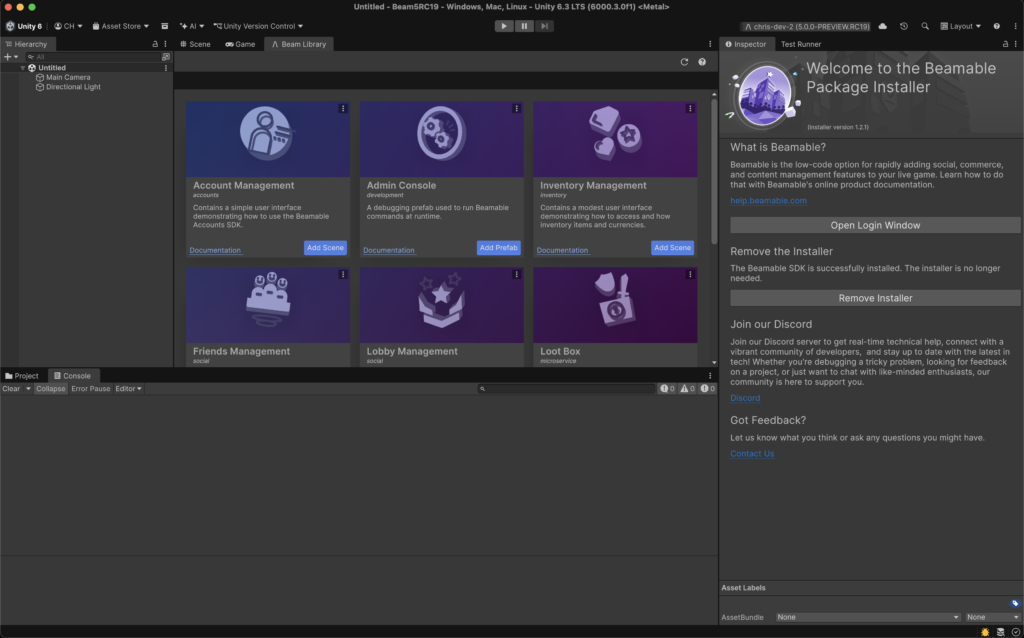
Unity SDK 5.0 uses the Beamable CLI 7.0, which comes with its own improvements and various fixes. The most important change in CLI 7.0 is that the .beamable folder will consolidate itself to have fewer files. Previously, there were several configuration files in the .beamable folder for different parts of the Beamable software stack. For example, there was a connection-configuration.json file that described connection string information, and there was a file called ignore-paths.json that held information about which relative paths should be excluded from local Microservice detection. This approach led to several fragmented files. In CLI 7, the files are centralized into a single config.beam.json file.
For Windows users, the new SDK and CLI help reduce file-locking errors related to Microservice development. Dotnet (only on Windows) locks the /bin and /obj folders of a service while it is running. The Beamable CLI sometimes needs to access these locked files to read metadata for the rest of the Unity Editor workflow. In previous versions, these file locks would cause silent failures in the Unity Editor. In SDK 5, these file locking issues can be avoided. In the cases where the file locking issues cannot be resolved, the SDK will automatically turn off any locally running Microservices and report a log message explaining the reason.
There have been a lot of bug fixes in the Unity SDK 5.0 release. Many of the issues do not have public GitHub issue links because we discovered them internally. However, if you discover a bug or have a suggestion for the SDK, please post on our Discord, post a Discussion, or create an Issue.
Here are all the fixes from the Unity SDK 5.0 and CLI 7.0 release.
- Sudden account switching no longer accidentally occurs when unpredictable errors happen during account switching (Issue 4321)
- Fixed unexpected GC allocation on Unity Editor during Domain Reloads from GetUnparsedCrashLogs function (Issue 4425)
- Editor allows user to switch between Beamable games (Issue 4456)
- Serialize ConsoleFlow fields on all targets, even when they are used only on Android; reduces issues with headless builds.
- Telemetry only pushes up to 10 log files at a time.
- Fixed an issue where duplicating content did not properly duplicate content tags.
- Fixed an issue where right-clicking content did not properly highlight it.
- Ensured that AccountWindow has the minimum width when logged in.
- Fixed an issue where the Service Storage Editor could not stop Storage from running.
- Content names now support dots as previous content manager versions.
- All spaces in a content name during a rename operation will be replaced by underscores.
- Warnings related to
Unity.Beamable.Customer.Common.asmdefwere not being compiled because no scripts were associated. - Possible
IndexOutOfBoundserror when runningbeam project psdue to nameless Docker containers. - Common projects no longer attempt to resolve Beamable Otel Collector.
- Do not log into archived realm as the default selection with –ignore-pid is given to
beam init(Issue 4245) setup.sh wasrelying on a fixed Go version; we now support Go 1.24.x.beam otel logscommand renders log attributes (Issue 4493)
You can view the full changelog at https://changes.beamable.com
Check out our documentation at https://help.beamable.com/Unity-Latest
Learn more about Beamable at https://beamable.com